


Forest Cloud
Fund, Manage & Monitor Restoration Projects
Join a community of nearly 300 projects
Showcase your project on the Plant-for-the-Planet platform and collect donations

Free to use

Set your own price
and decide if you want to fundraise per tree planted or per m2 restored

0% Commission
and benefit from the following features

Coming Soon
Remote Sensing
Satellite-Based Monitoring
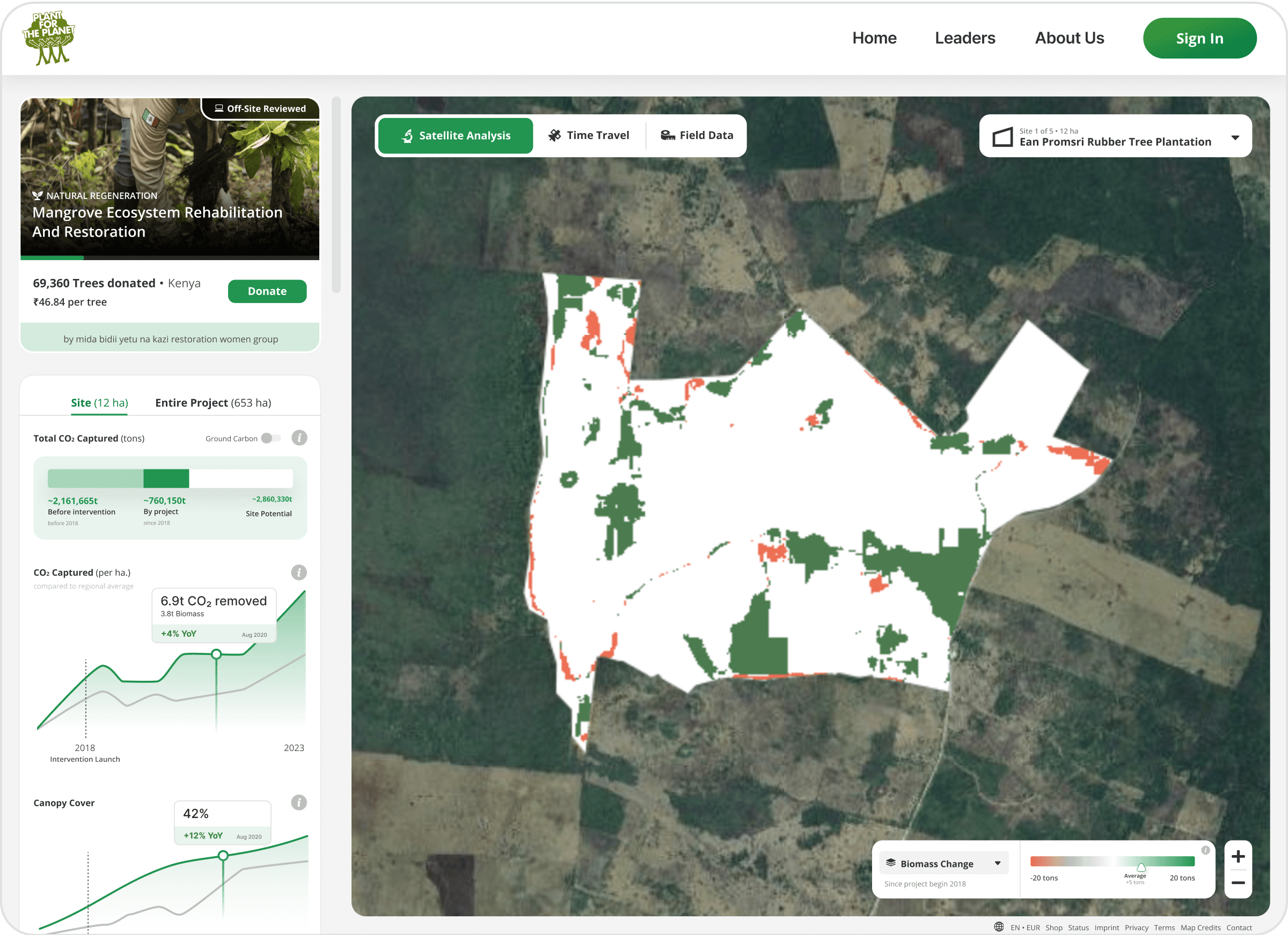
With the help of satellite data from NASA and ESA, we estimate the carbon captured in your project site & much more.

Treemapper
Ground-based monitoring
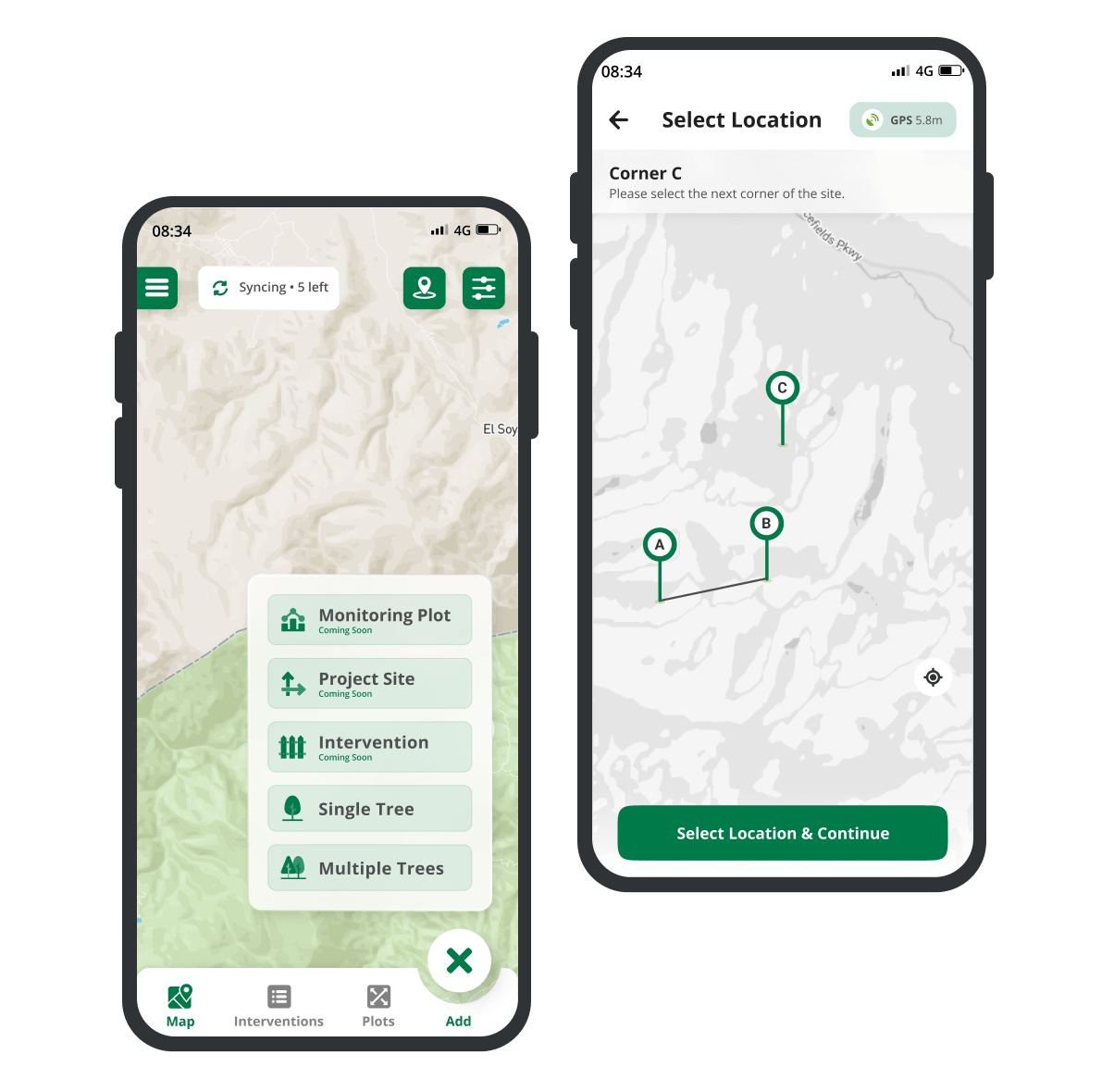
Use TreeMapper to track and monitor your restoration project. Use the data to learn how to improve your restoration work and calculate your impact.


Maximum Transparency
With one click, you can make your monitoring data publicly available to share your impact with your donors.
Make monitoring data public
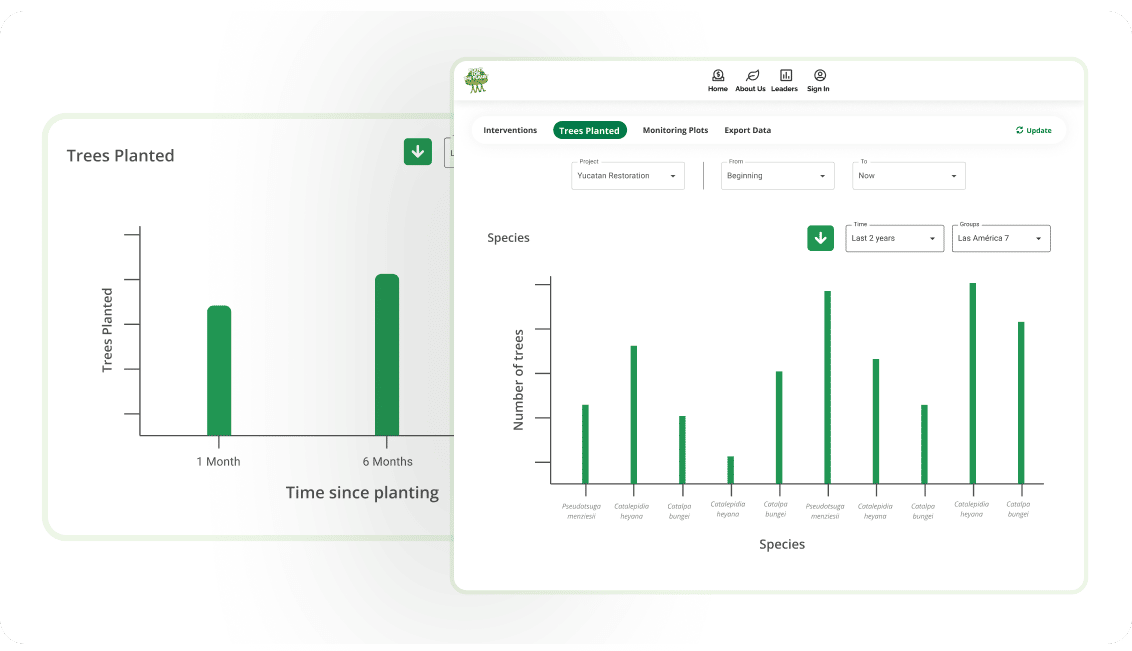
Data Explorer
Learn from your data with DataExplorer or download it to analyse it in Excel or Python.
Data Explorer

Project Reviews
Ensure you meet all standards
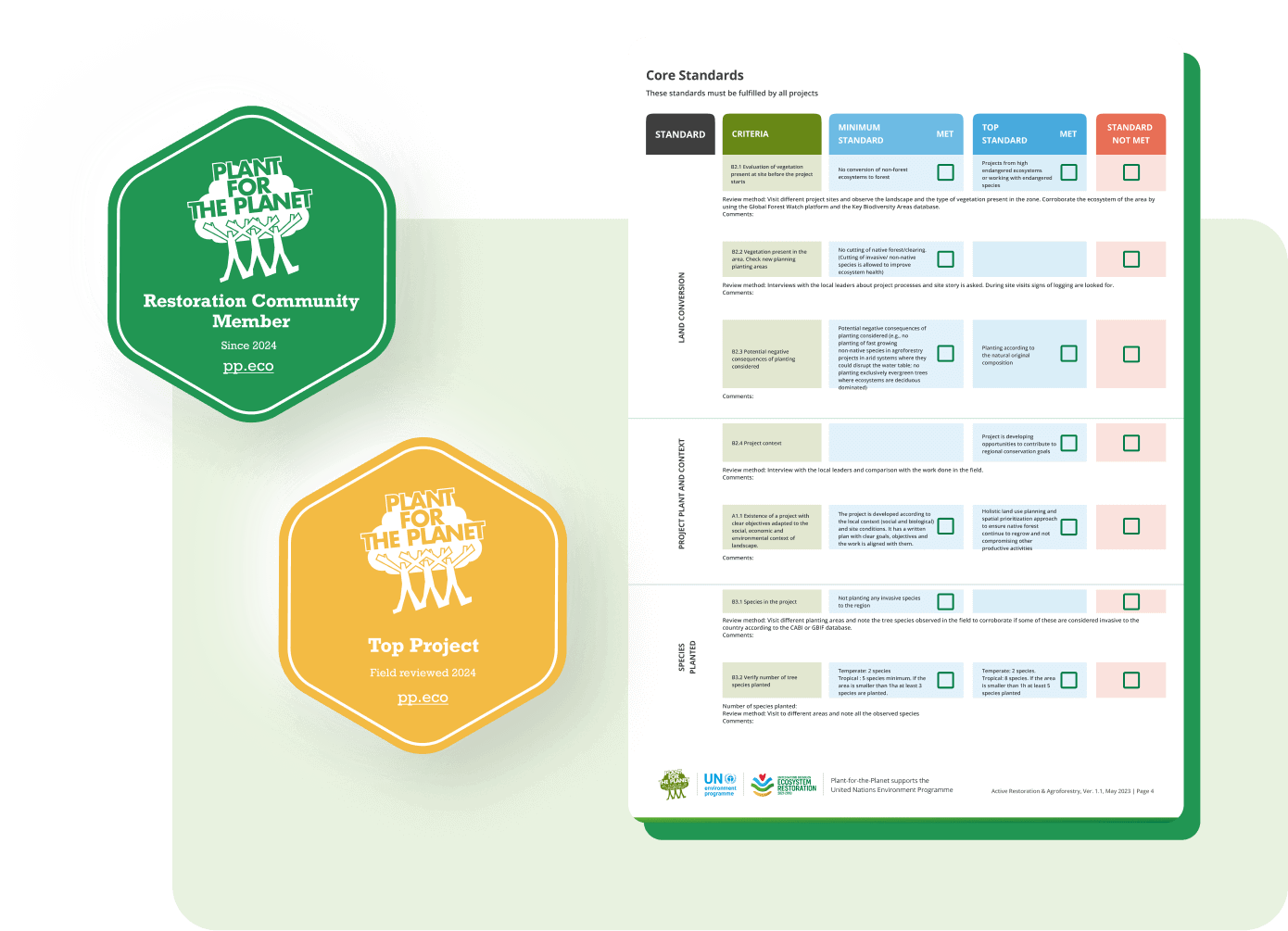
To ensure you meet all our forest restoration or conservation standards we conduct an off-site review before you can begin to collect donations. In a second step a reviewer will visit your project on the ground for a field-review.

Widgets
Make your project transparent through your website
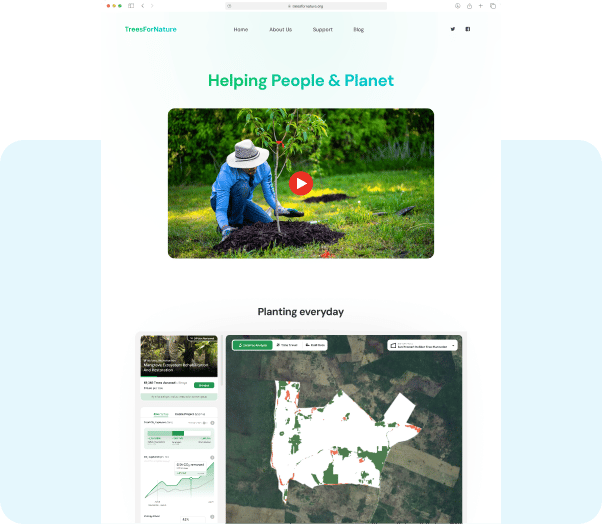
Easily integrate our project widget in your website. All your visitors will be able to see your project sites, explore satellite data, TreeMapper data and more.

Fire Alert
Address forest fires
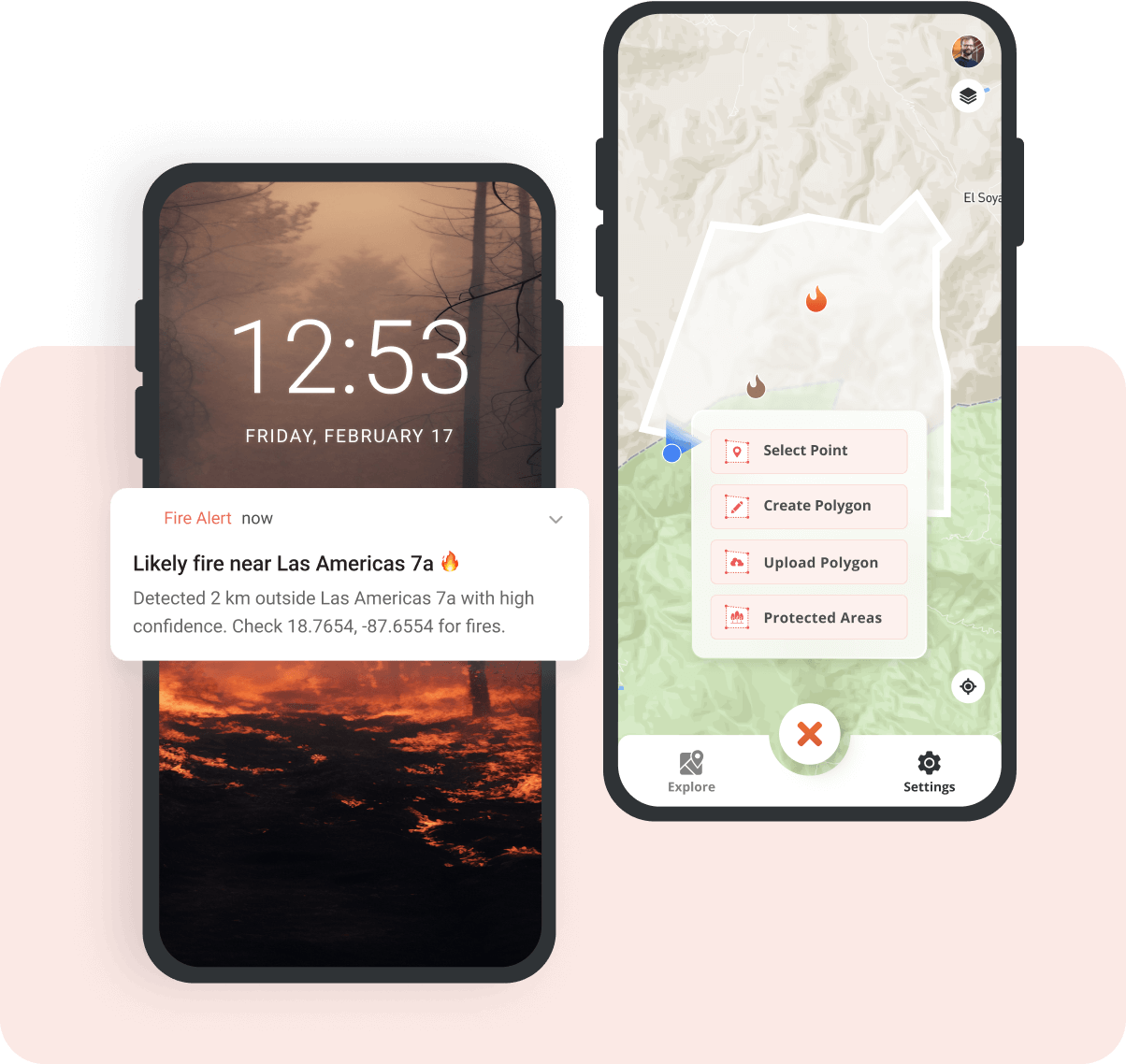
Free alerts when likely fires are detected by NASA’s satellites
Restoration Advice
Your restoration questions answered
Do you need advice to address challenges in your restoration project? You’re not alone. Lots of projects need it. Our team of restoration ecologists provide free, confidential advice.
Who can join?
Every restoration and conservation project worldwide that
- is non-profit and
- complies with our ecological and social standards
How to join?
Stage 1: Get listed
Step 1: Create your profile
Register your organization on the Plant-for-the-Planet platform and create your profile
Step 2: Add your projects
- Sign in to the platform as a Restoration Organization
- In the left menu, open Projects.
- Click Add project and fill in the details
Your project is now public on ForestCloud. However, to collect donations, complete Steps 4 to 6.
Step 3: Onboarding call (optional)
Have questions? Book a free call with our colleague Max.
Stage 2: Get verified to receive donations
Step 4: Share your project details
- In your project, turn on Receive Donations.
- Fill out the questionnaire in your project that matches your project type. You can preview each one before you start:
- Upload these documents to your project:
- Land tenure agreement: proof of your long-term right to use the land, ideally for 15 years or more
- Project plan: how you will run the project, step by step
- Budget plan: a clear breakdown of project costs
- Map of the project area (if available)
- Code of ethics (if available)
Step 5: Verify your organization
In the left menu of your profile, open Due Diligence and Compliance and upload:
- Proof that your organization is a registered not-for-profit (certificate of recognition and registration number)
- Organization bylaws (statutes)
- Latest annual report
- Latest financial report
- Bank account confirmation (official proof that your organization holds a registered bank account)
- Tax exemption document (if available in your country)
- Any other useful information (optional)
Step 6: We review your application
Plant-for-the-Planet will review your project and organization and validate your data. This may take from a few days to a few weeks.
Once your project and organization are approved, you can start receiving donations through ForestCloud. You will also get the Restoration Community badge for your website and print materials.
Not approved yet? Some projects do not meet all our restoration and conservation standards at first. Our restoration advice team offers free, confidential support to help you make the changes needed to join.
Step 7: On-site review
When one of our project reviewers is in your region, we will arrange a visit to your project and evaluate the project according to our quality standards.
Please note: if you do not allow the on-site review, you will no longer be able to receive donations through ForestCloud.
Any Questions? I’m happy to help!

Maximilian Schmid
maximilian.schmid@plant-for-the-planet.orgReporting Requirements
Projects collecting funds through our platform are requested to report progress on a regular basis:
- Use TreeMapper for data collection OR upload equivalent planting data in your profile, OR provide a publicly available annual progress / monitoring report of your project containing:
- Shapefile (geoJson or KML) of the area / sites where restoration work is taking place
- The species composition and number of trees planted or area restored
- The estimated survival rate of any trees planted
- The information about how monitoring and reporting data was collected
- Provide an annual confirmation of the use of funds
Please also note our Terms and Conditions
Contact support@plant-for-the-planet.org for any inquiries.